
Aquarium camera: Turn an old Android phone into a tank camera
Pair it with your tank using a QR code, and it uploads a photo to Turq at a fixed interval. You see the latest photo on your dashboard, and so does everyone you share the tank with.
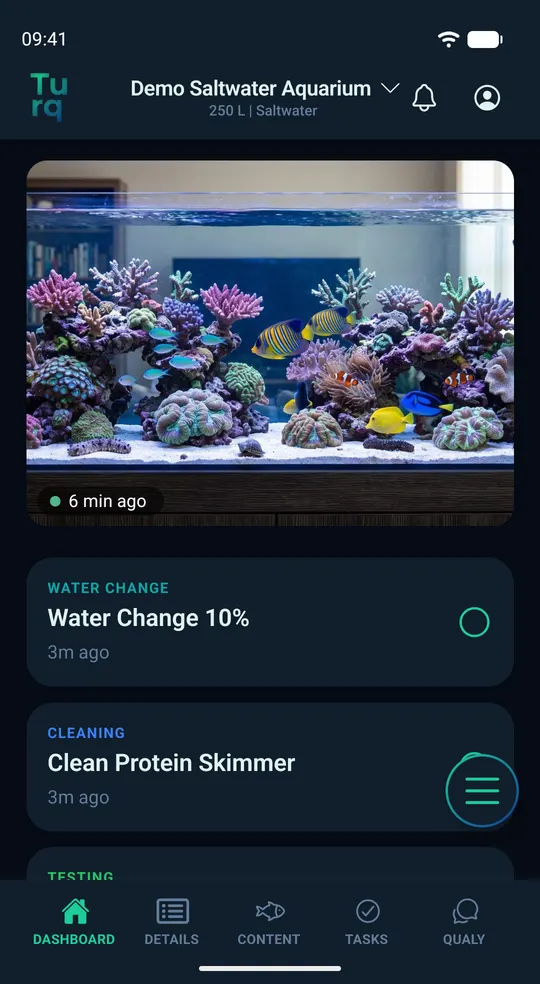
Set up an old phone as an aquarium camera
Only the tank's owner can pair a camera, and it takes a free, secured account.
- Install Turq from Google Play on the old phone. It doesn't need a Turq account. If you're already signed in there, starting the camera signs you out.
- On your phone, open Details › Tank Cam › Pair camera. Choose how often it takes a photo, optionally only at set times. Turq then shows a QR code.
- On the old phone, tap “Use as Tank Cam” on Turq's start screen and scan the code.
- Point the phone at the tank. Tap the tank in the picture to lock focus and exposure, then tap Start.
- The screen goes dark, and a small line shows that the camera is running. Keep the phone plugged in and Turq open.
What you see
A tile on your dashboard shows the latest photo and how long ago it was taken. Under Details › Tank Cam you can also see:
- Whether the camera is online, offline or paused
- When the old phone last checked in and how much battery it has left
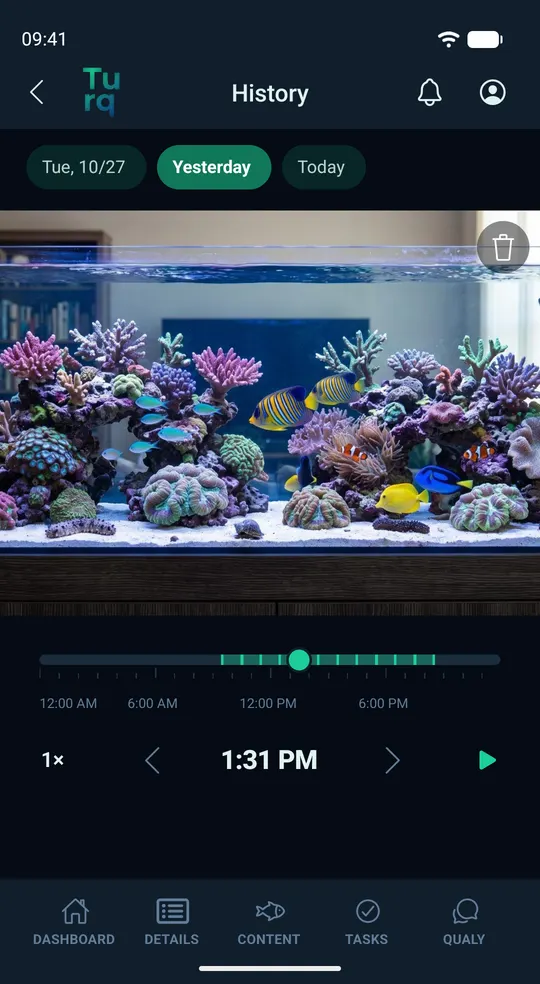
Free and Pro
The camera works without a subscription, with a free, secured account.
- Free: one photo an hour. Turq only keeps the latest; each new one replaces the previous one.
- Pro: a photo as often as every 10 minutes.
- Pro: from then on, Turq keeps every photo for 14 days. Browse back by day or play back a whole day.
When you travel
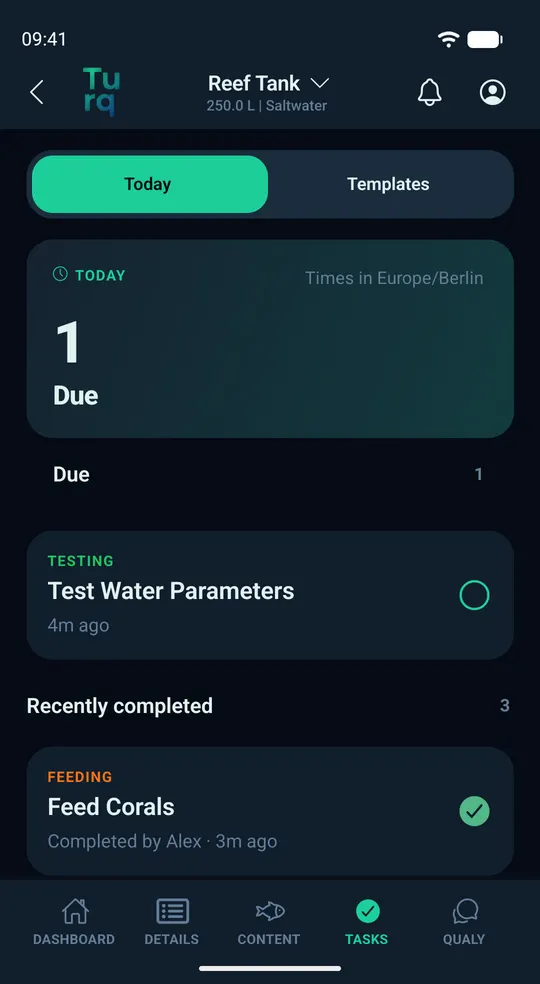
While you're away, you can see the latest photo of your tank in Turq. Share the tank with your tank sitter: under Details › Care together, invite them with a link or code. Joining takes a free, secured account.
- Everyone who helps out sees the latest camera photo
- Reminders for due tasks go to everyone
- Every completed task shows who checked it off, so you can see who fed the fish
- If the camera stays offline or its battery needs a check, you get a message and can ask someone to take a look
What the camera isn't
No video, no sound. The old phone takes single photos at a fixed interval.
Not an alarm system. Turq lets you know when the camera stops working, not when something happens in the tank.
No image analysis. Turq doesn't analyze the photos, not even with AI.
Not a substitute for someone being there. A photo shows your tank, but it can't step in.
Not a room camera. Point it only at the tank, and let anyone who spends time in the room know.
Aquarium camera FAQ
Which phone can I use?
Any Android phone running Android 7 or later with a working camera and Wi-Fi; no SIM card needed. Older phones can be slower or get warm, and if one gets too hot, the camera takes a break. If the phone's camera can't be used, Turq tells you during setup.
Can I use an old iPhone?
No, the camera has to be an Android phone. Turq itself is Android only for now; an iPhone version is planned, but there's no date yet.
Does the old phone need its own account?
No. When you pair it, it gets its own key that can only send photos and status for this one tank.
Who sees the photos, and where are they stored?
You and everyone you share the tank with. The photos are stored in the EU, downsized and without embedded metadata. If you remove the camera, Turq deletes all its photos.
What happens if the Wi-Fi goes down?
No new photos come in, and the phone keeps trying on its own. If the camera stays offline for a while, you get a message.
Try the camera in the beta
Turq is currently in a closed test on Google Play, for Android and 18+. The camera is included, no subscription needed. All you need is your phone plus an old one.